
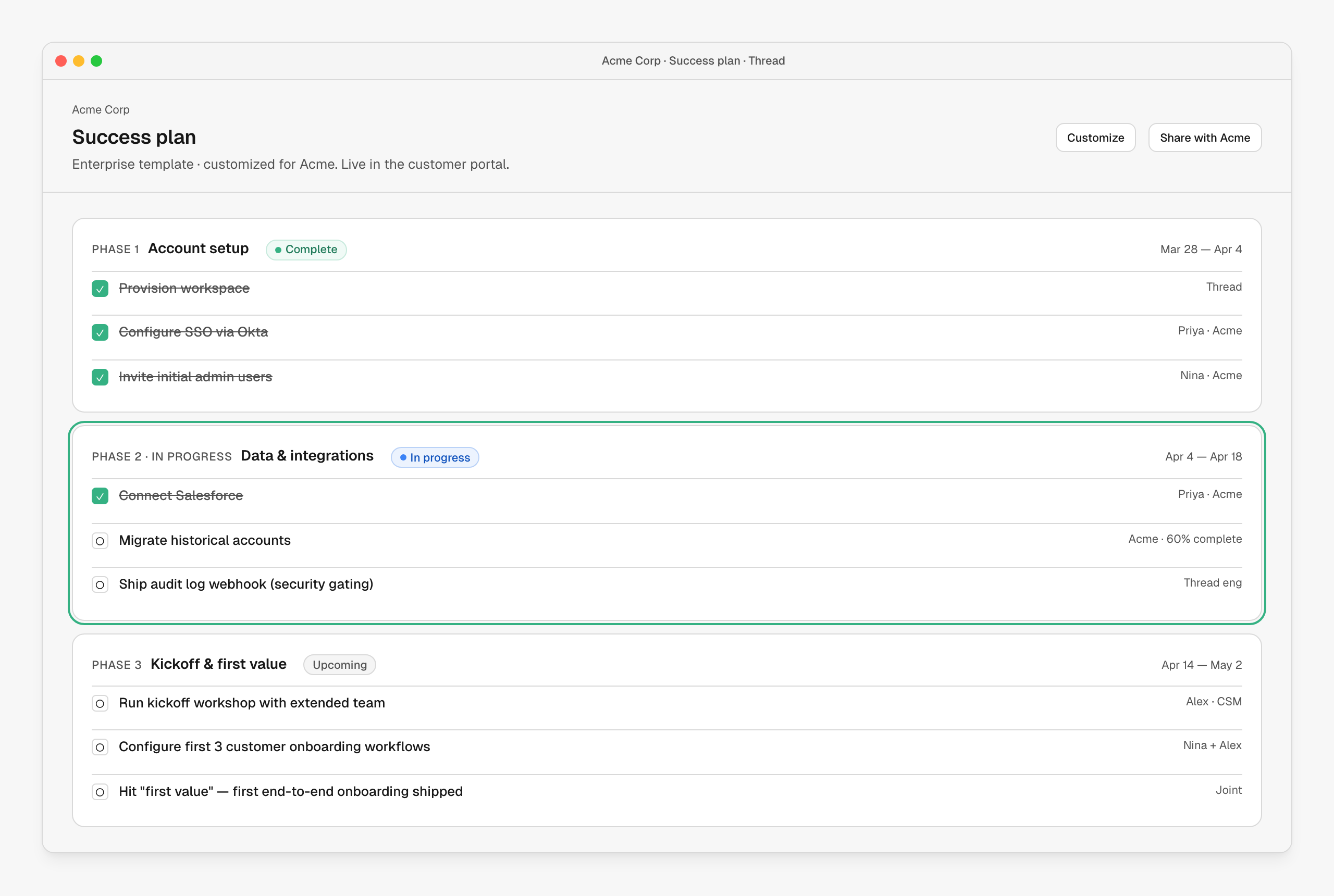
What it looks like
The plan reads top-down as phases. Each phase has tasks, an owner per task (you, the customer, or “joint”), and a target date range. The current phase is highlighted; complete tasks line through; the customer sees the same plan in their portal. Tasks can be plain checklist items, scheduled actions (an email, a doc, a meeting), or links into other parts of Thread (a workflow run, a form, an upload).How it’s wired up
| Node | Role |
|---|---|
| Apply success plan | Instantiates a template onto the account. Variables fill in account-specific dates and names. |
| Milestone start / complete | Triggers when a phase begins or ends — fire Slack updates, queue follow-ups. |
| Task action nodes | Email, doc, meeting, form, upload — each becomes a checkable task on the plan. |
Customize per account
Plans are customizable after they’re applied. Without forking the underlying template, a CSM (or a workflow) can:- Add, remove or reorder tasks for this account
- Reassign owners
- Shift dates to match the customer’s timeline
- Drop in account-specific actions that aren’t in the template
When to use it
- Every onboarding gets a plan. The question is just which template to apply.
- Have one template per segment (Enterprise / Mid-market / SMB) and one per motion (new logo / expansion / renewal). Branch in the workflow before applying so each account gets the right starting point.
Next steps
Customer kickoff & onboarding
The plan in motion — kickoff, milestones, first value.
Customer portal experience
What the customer sees of the plan.
Building workflows
Wiring up Apply success plan in a workflow.