
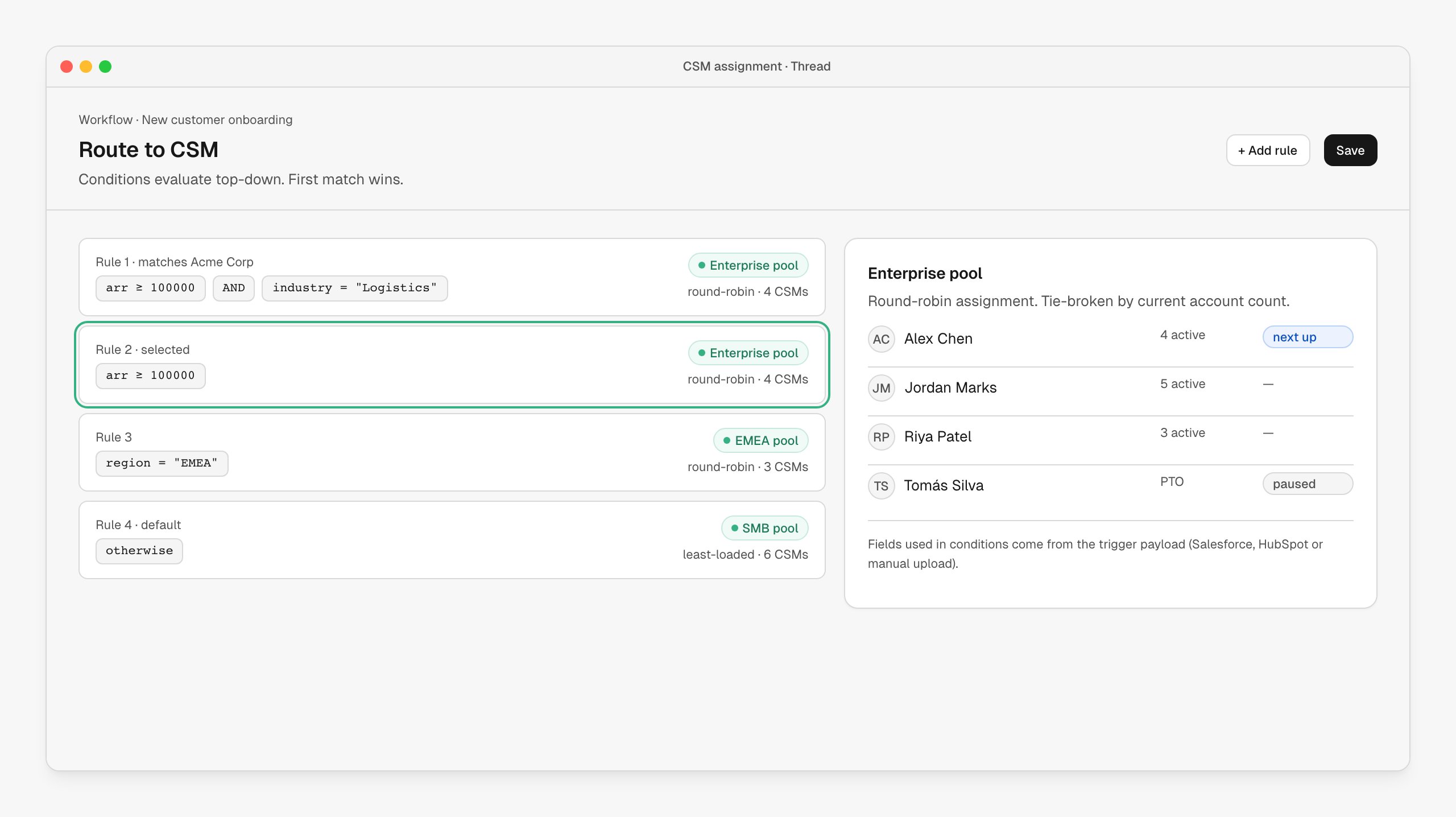
What it looks like
A list of ordered rules. Each rule has a condition (ARR, industry, region, segment, anything in the trigger payload) and a destination — a single CSM, a pool, or a queue. Conditions evaluate top-down; first match wins. The last rule is always the default. Pools support round-robin and least-loaded distribution. CSMs on PTO are paused automatically. Reassignments happen in the same UI — pick a different CSM and the account, plan, brief and notifications follow them.How it’s wired up
The Route to CSM node lives in any workflow downstream of an account-creating trigger. Edit your routing under Workflows.| Field | Behavior |
|---|---|
| Rules | Ordered list. Each is a condition + destination. |
| Pool destinations | Round-robin or least-loaded. Optionally tie-broken by current account count. |
| Named destinations | Pin specific accounts to specific CSMs (great for strategic accounts). |
| Fallback | Required — every account ends up assigned, even if no rule matches. |
Customize the routing
Routing is a per-workflow configuration — you can have different routing in your “New customer” workflow vs your “Renewal at risk” workflow vs your “Self-serve upgrade” workflow.- Pools are reusable across workflows
- A rule can route to a single CSM, a pool, or a queue (queues notify multiple CSMs and let one claim)
- Add manager approval on certain rules (high-value deals, weird fits) before assignment finalizes
When to use it
- Whenever you have more than two CSMs and any segmentation. Even simple “Enterprise / SMB” splits benefit from explicit rules.
- Especially when AEs and CSMs are different teams — assignment by rule removes the “who picks this up?” ambiguity.
Next steps
Customer handover
The brief lands in the assigned CSM’s queue.
Salesforce
Most common trigger feeding routing rules.
Slack
Notify the CSM the moment they’re assigned.