
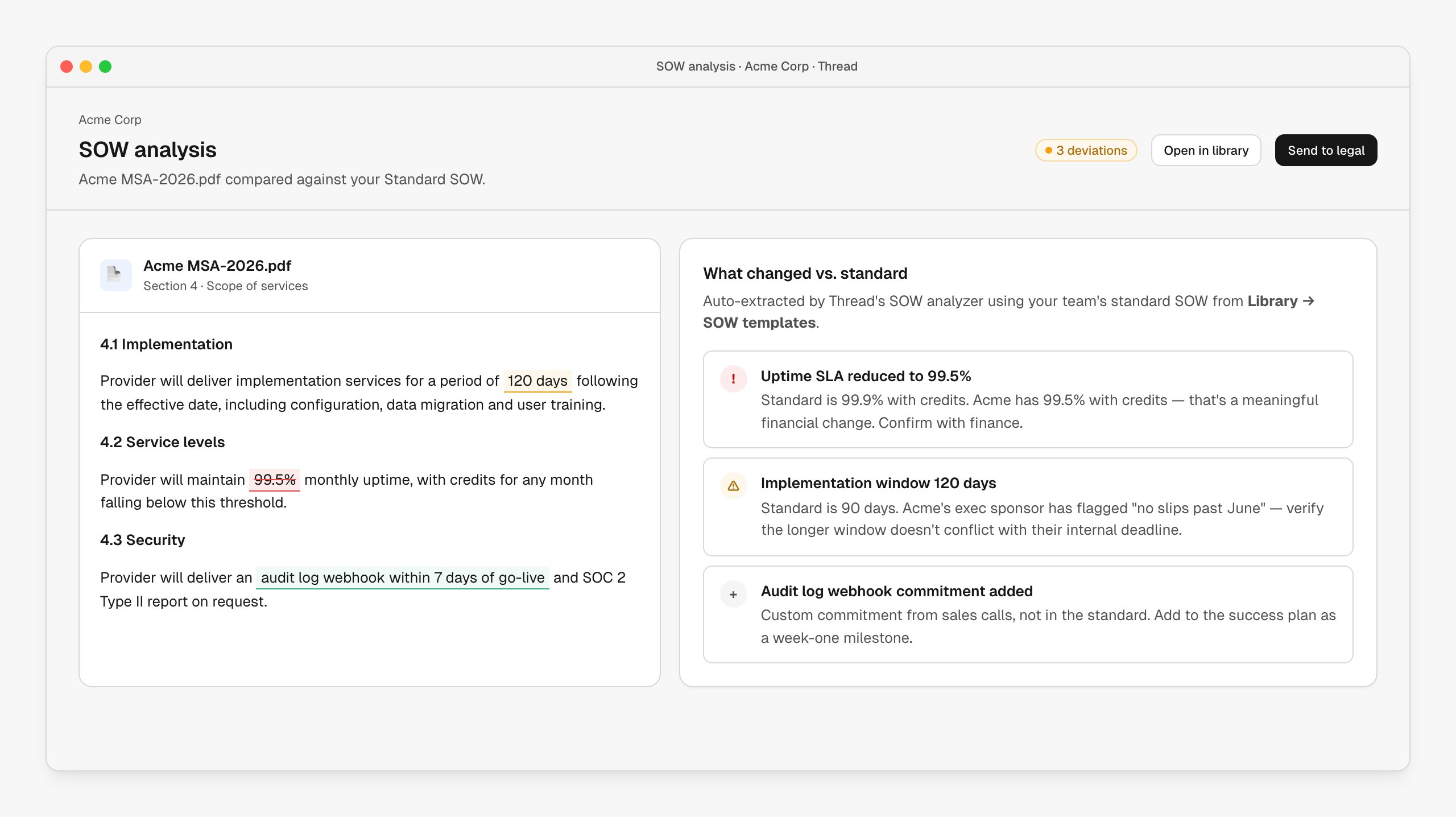
What it looks like
The customer’s SOW on the left, the deviation report on the right. Inline highlights show what changed: red for terms reduced from your standard, green for additions, amber for items worth flagging. Each deviation has a severity, a one-line description, and (where possible) cross-referenced context from the sales calls. The default analyzer ships in your Library → SOW templates with a standard SOW you can edit to match your team’s preferred terms. Custom commitments not in the standard — “we promised a webhook in week one” — are extracted as additions, not silently lost.How it’s wired up
The analyzer runs on any document uploaded to the SOW slot on an account, or via a workflow node:| Node | Role |
|---|---|
| Upload SOW | Customer-facing portal action — customer drops the signed SOW. |
| Analyze SOW | Compares against the standard and produces the deviation report. |
| Notify legal / finance | Conditional on severity — high deviations route to legal automatically. |
| Add to success plan | Custom commitments become tasks on the plan. |
Customize the analyzer
The analyzer is fully customizable:- Edit the standard SOW under Library — every analysis runs against the latest version
- Tune severity thresholds for specific clauses (uptime, payment terms, IP)
- Add custom prompts (“flag any clause that touches data residency”)
- Route different severities to different reviewers — high to legal, medium to the deal owner, informational to the CSM
When to use it
- Run on every signed SOW, not just the ones flagged for review. The 30-second cost is worth it.
- Especially valuable when sales has latitude to redline mid-deal, when SOWs vary by segment or geo, or when delivery teams have been bitten by hidden commitments.
Next steps
Gong
Cross-reference SOW deviations against what was actually said on the calls.
Customer handover
SOW deviations show up in the handover brief automatically.
Success plans
Custom commitments become tasks on the plan.