
What you can build
Customer kickoff & onboarding
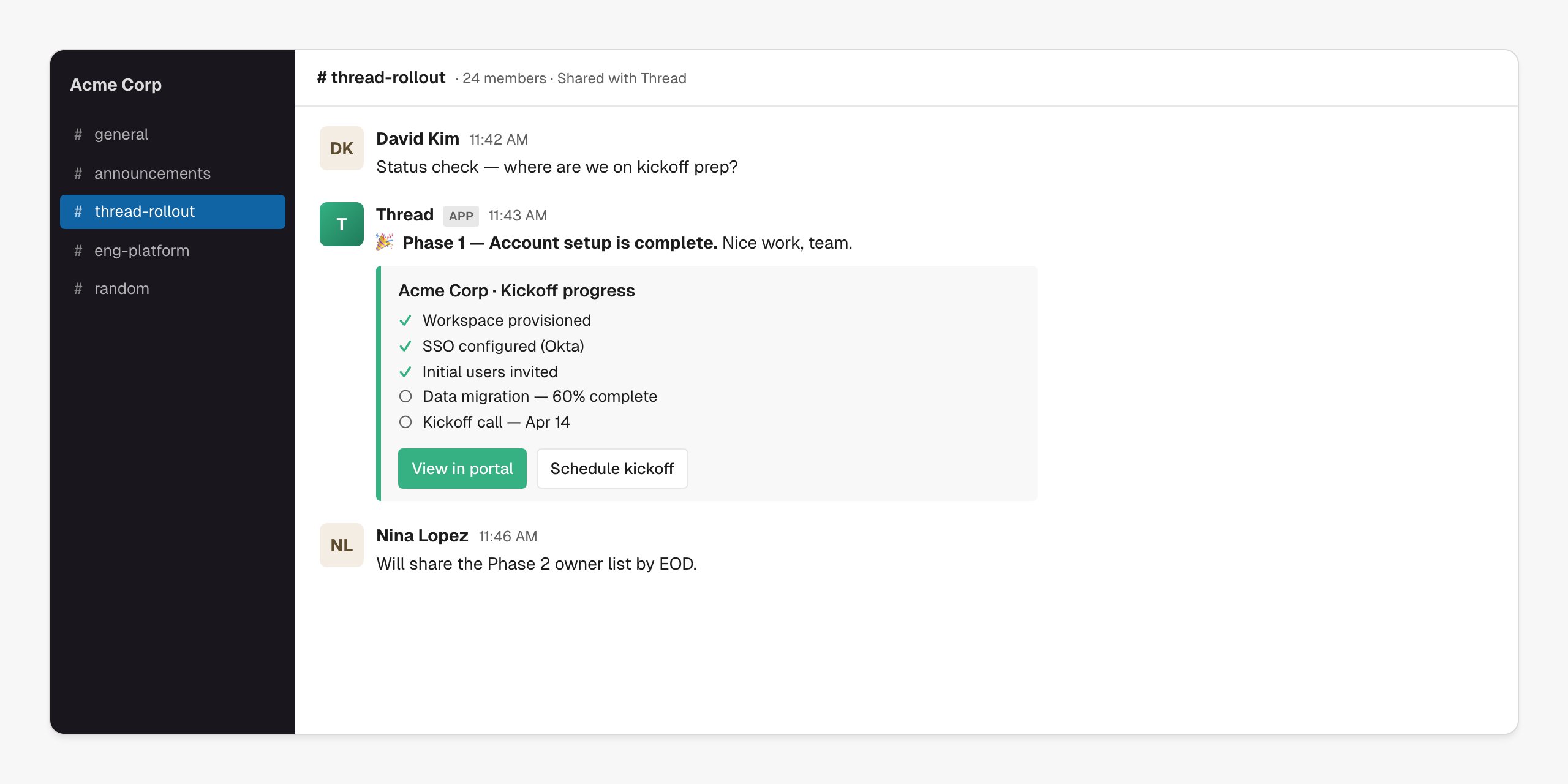
Live status updates posted to a shared channel as milestones progress.
Customer handover
Drop the AE → CSM brief into a shared channel as part of the introduction.
CSM assignment
Page the right CSM channel the moment a new account is routed.
Customer portal experience
Use Slack as the day-to-day surface; the portal as the source of truth.
Connect Slack
Open Connectors → Slack → Connect
Go to Connectors → Slack in Thread, click Connect, and sign in to Slack to approve the workspace install. Thread requests permission to read your channel list and post messages — that’s it.
Invite the Thread app to channels
The Thread app only posts to channels it’s been invited into. In each shared/internal channel: type
/invite @Thread. Channel admins can do this in bulk via Slack’s app settings.Pick default channels
Under Connectors → Slack, set the default internal channel for CSM alerts and the default shared-channel pattern for new customer rollouts. Workflows can override these per-account.
Use Slack in a workflow
Drop a Send to Slack action into any workflow. Choose the channel, pick a template (or write inline), and reference any account variable.| Trigger | What gets posted |
|---|---|
| Milestone complete | ”🎉 Phase 1 — Account setup is complete” with progress checklist + portal link |
| Action overdue | ”Heads up — the technical requirements form is still outstanding” with form link |
| New account assigned | Internal alert to the CSM’s channel with handover brief link |
| Account at risk | Internal alert with risk reason and current owner |
| Launch | Public celebration in the shared channel |
*bold*, _italic_, :emoji:, > quote, code blocks) and Thread variables like {{ account.name }}, {{ milestone.name }}, {{ csm.first_name }}.
Tips from the field
Use shared channels
A Slack Connect channel per customer makes Thread feel like a teammate, not a tool.
Keep messages short
Two lines plus a portal link beats a wall of text every time.
Don't @channel everything
Reserve
@here for rollout-blocking moments. Routine updates don’t need pings.Mirror, don't replace, the portal
The portal is the source of truth. Slack messages link back to it.
Troubleshooting
`channel_not_found`
`channel_not_found`
The Thread app isn’t in that channel yet. In Slack:
/invite @Thread, then re-run the action.Messages aren't posting
Messages aren't posting
Check the connection status in Connectors → Slack. If the workspace was reinstalled or the user who connected left, reconnect from a current admin account.
Customer can't see updates
Customer can't see updates
Confirm the workflow targets a Slack Connect (shared) channel and not your internal-only channel. Channel type is shown next to the channel name in the action editor.
Variables show as raw {{ }}
Variables show as raw {{ }}
The variable name doesn’t match a field on the account, or it was applied before the account had data. Check spelling against the variable picker in the action editor.
Next steps
Customer kickoff & onboarding
Build the Slack-native kickoff experience.
Building workflows
Full reference for the Send to Slack action node.