Overview

Thread is a customer success automation platform designed to help CS teams scale personalized onboarding through template-driven workflows, intelligent automation, and customer self-service portals. [SCREENSHOT: Thread platform overview showing main dashboard] Caption: Thread’s main dashboard gives CSMs full visibility into all customer implementations

Core Components

Thread consists of three main components that work together to automate your customer journey:

1. CSM Dashboard

The command center for Customer Success Managers to:

Create Templates

Build reusable onboarding templates with milestones, actions, and automation rules

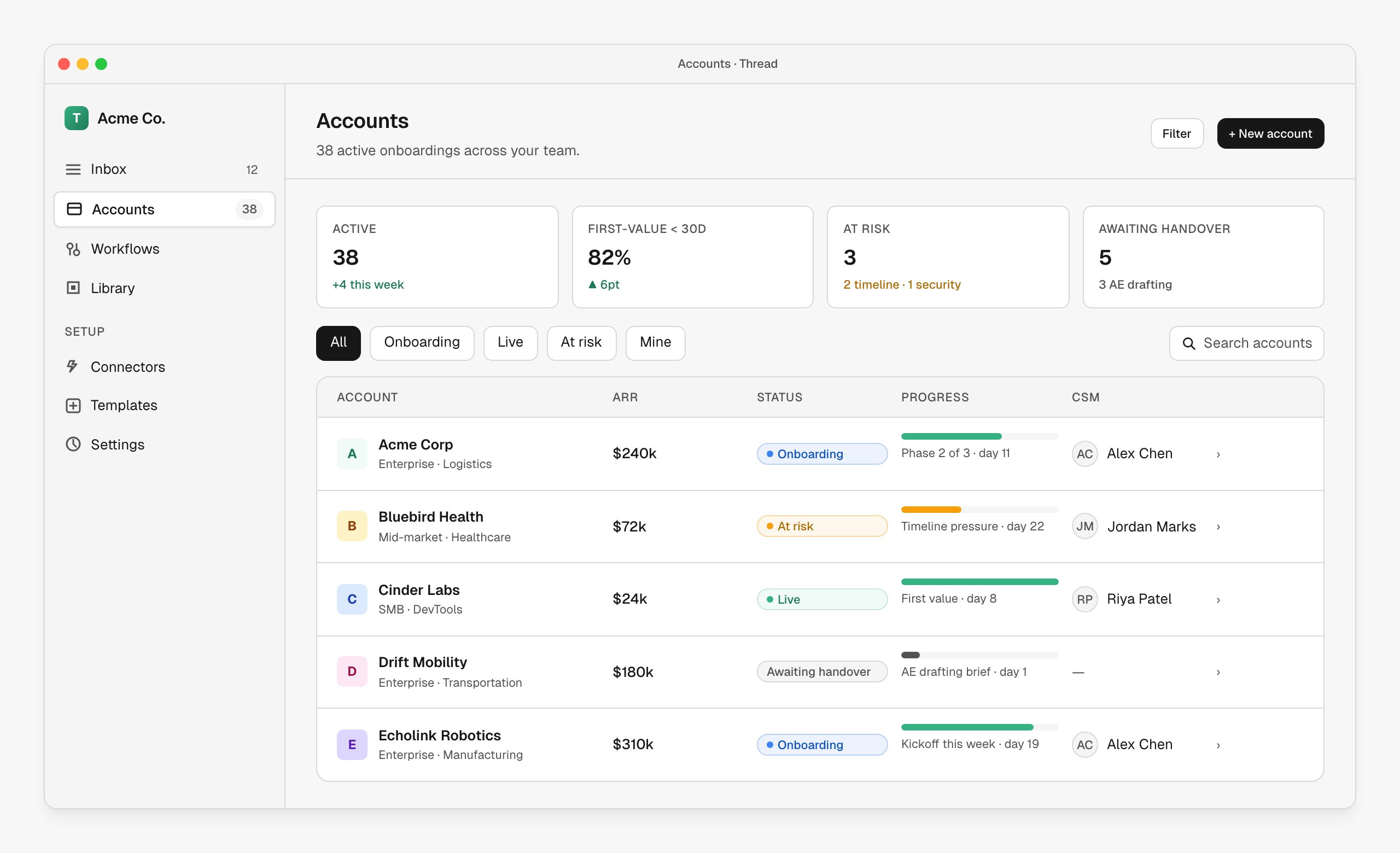
Manage Accounts

Apply templates, review AI-generated drafts, and execute actions for each customer

Connect Integrations

Link HubSpot, Slack, Notion, Google Workspace, and other tools

Monitor Progress

Track milestone completion, action status, and customer engagement
[SCREENSHOT: CSM dashboard with accounts list and status indicators] Caption: The accounts view shows status, milestones, and upcoming actions for each customer

2. Customer Portal

A branded, self-service portal where customers can:
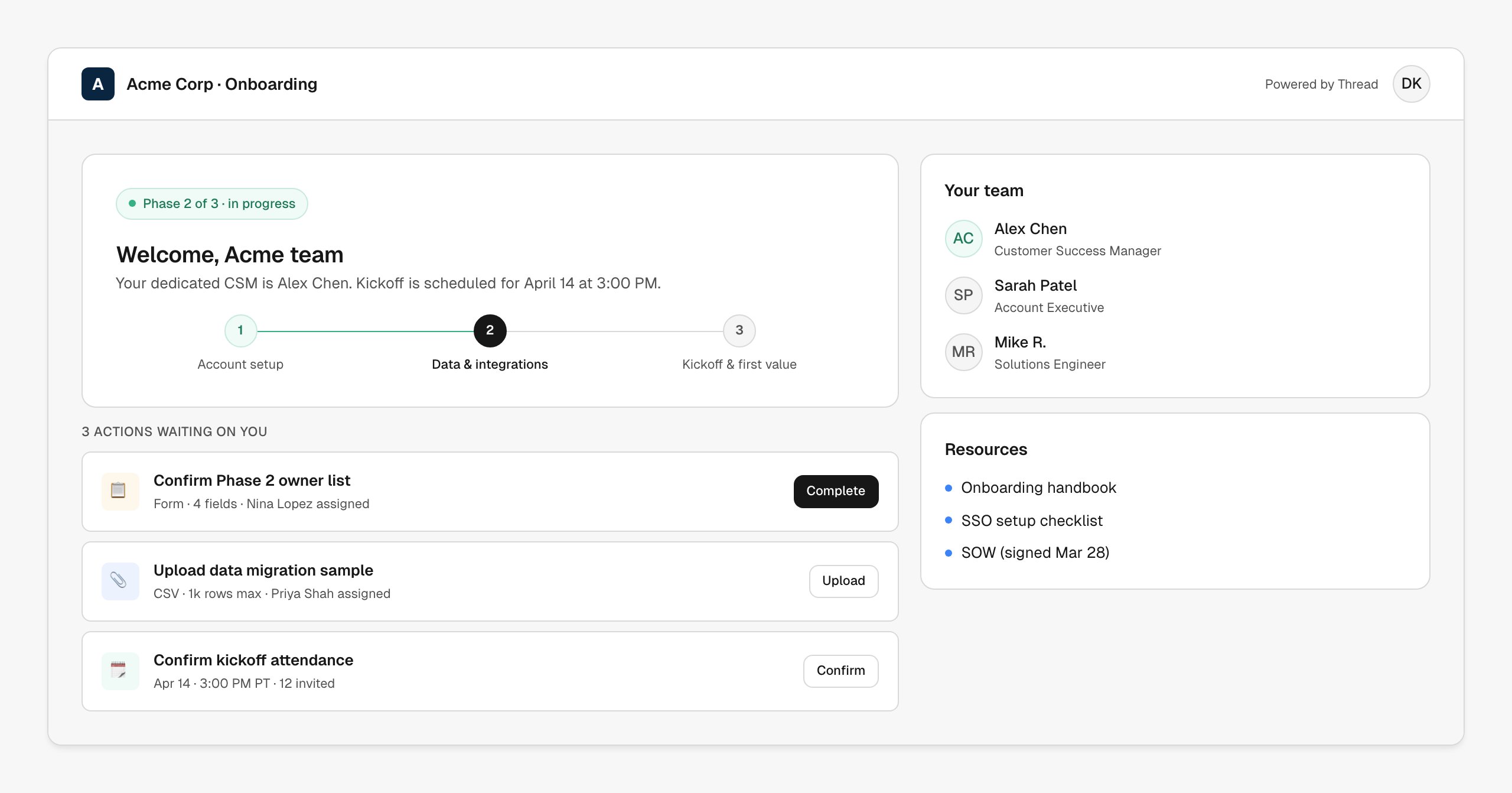
  • View their timeline - See all phases from kickoff to go-live
  • Track progress - Real-time completion percentages and status updates
  • Complete actions - Fill forms, upload documents, and respond to requests
  • Stay informed - Know exactly what’s happening and what’s next
The customer portal reduces “What’s happening?” support tickets by 70%+ by giving customers transparent visibility into their onboarding journey.
[SCREENSHOT: Customer portal timeline view] Caption: Customers see their full implementation timeline with clear progress indicators

3. Automation Engine

Behind the scenes, Thread’s automation engine:
  • Processes triggers - Starts actions when milestones begin
  • Generates AI drafts - Creates personalized emails and content
  • Schedules actions - Executes tasks with delays and timing rules
  • Syncs data - Keeps integrations up-to-date automatically
  • Tracks completion - Monitors action status and customer responses

How Thread Works

Step 1: Build Templates

Admins create onboarding templates that define:
  • Milestones (Phases) - Sequential stages like “Kickoff”, “Implementation”, “Go-Live”
  • Actions within each milestone - Emails, forms, documents, meetings, Slack messages
  • Automation rules - When actions trigger (immediately, with delays, etc.)
  • Customer portal visibility - What customers see at each stage
// Example template structure
{
  name: "Standard SaaS Onboarding",
  milestones: [
    {
      name: "Kickoff",
      duration_days: 7,
      actions: [
        {
          type: "SEND_EMAIL",
          trigger: { type: "milestone_start", delay_hours: 0 },
          content: { subject: "Welcome to {{company_name}}!", ... }
        },
        {
          type: "SCHEDULE_MEETING",
          trigger: { type: "milestone_start", delay_hours: 24 },
          ...
        }
      ]
    },
    // More milestones...
  ]
}
Templates are immutable snapshots. When applied to an account, the entire config is copied, so changes to the template don’t affect existing customers.

Step 2: Create Accounts

When a new customer closes, the ops team:
  1. Uploads customer data (from HubSpot, manual CSV, or Notion integration)
  2. Selects a template to apply
  3. Assigns an AE for handoff review
  4. Triggers setup - Thread generates handoff Q&A and sends invite link
[SCREENSHOT: Account creation form with template selection] Caption: Create accounts with structured data and template selection

Step 3: Handoff Process

The Account Executive:
  1. Receives email with handoff link
  2. Reviews AI-generated handoff answers (use case, goals, risks)
  3. Edits or regenerates answers as needed
  4. Assigns a CSM from the org roster
  5. Submits handoff
The assigned CSM then receives notification and takes over.

Step 4: Action Execution

As milestones progress, Thread automatically:
  1. Triggers actions based on milestone start + delay rules
  2. Generates AI drafts for emails, forms, and content
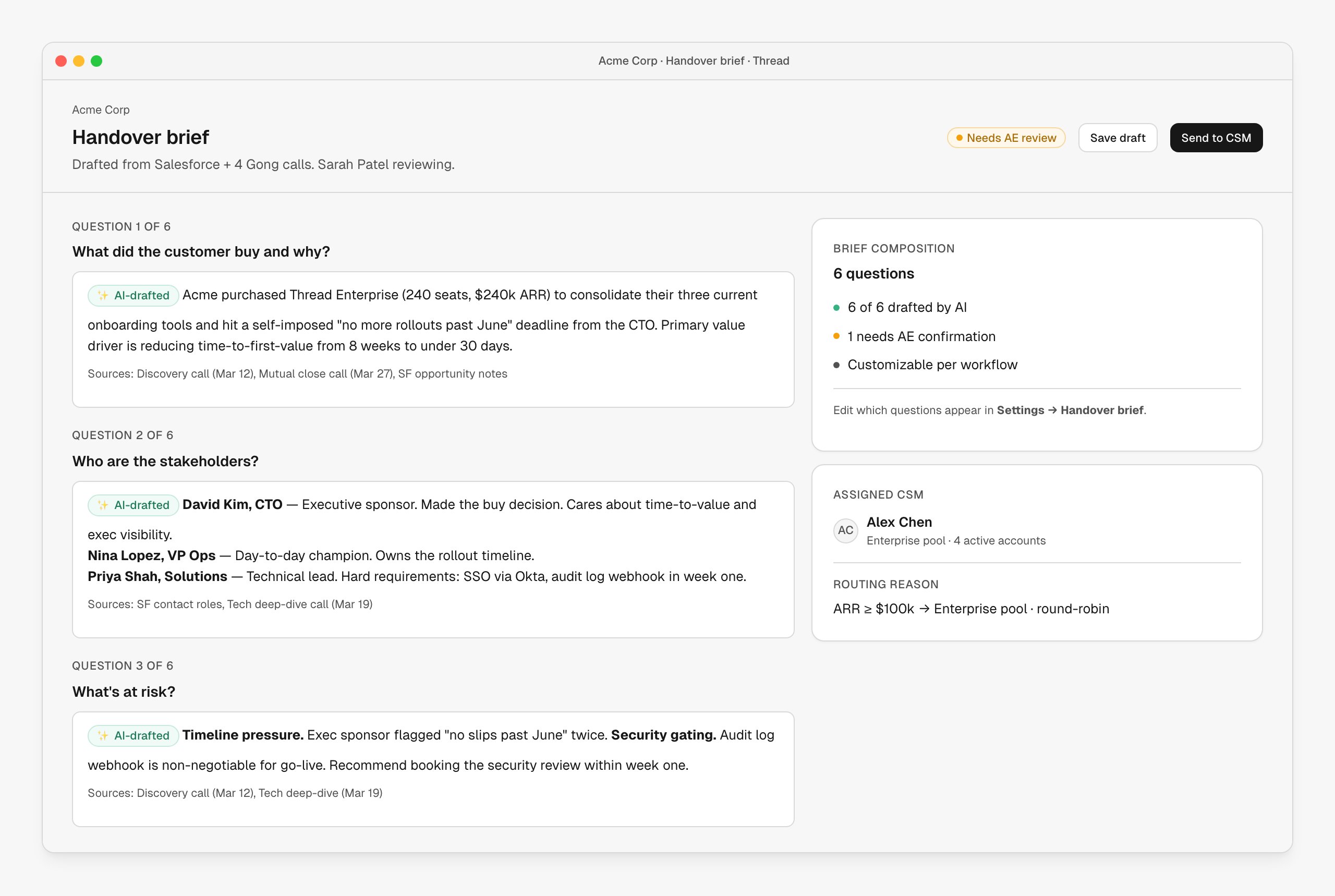
  3. Presents drafts to CSM for review in the Implementation Tab
  4. CSM reviews and edits as needed
  5. CSM executes - Thread sends emails, creates portal forms, etc.
  6. Customers respond in the portal or via email
[SCREENSHOT: Implementation tab showing action review interface] Caption: CSMs review and edit AI-generated drafts before execution
Actions don’t execute automatically until CSMs approve them. This ensures every customer interaction maintains your quality standards.

Step 5: Customer Experience

Customers receive their portal invite and can:
  1. View timeline - See all phases and their status
  2. Complete actions - Upload docs, fill forms, provide info
  3. Track progress - Watch completion percentages increase
  4. Contact CSM - Direct link to schedule time or send messages

Key Features

Template System

Create templates once, apply to unlimited customers. Capture best practices and ensure consistency.
Organize onboarding into sequential phases with duration estimates and status tracking.
Each milestone shows “What we’re doing” (CSM view) and “What you’re doing” (customer view).
Six action types: Send Email, Request Docs, Request Assets, Collect Info, Schedule Meeting, Slack Message.

Automation Features

GPT-powered draft creation for emails, handoff Q&A, and customer communications with full context.
Set delays on actions (e.g., “send follow-up 48 hours after kickoff starts”) for perfect timing.
Actions trigger automatically when milestones start, eliminating manual task management.
Use , , in templates for automatic personalization.

Workflow Automation

Build automated workflows with a drag-and-drop canvas. Connect nodes to define routing logic, approvals, and actions.
Automatically start workflows when deals close in HubSpot, Salesforce, or Notion. No manual account creation needed.
Use condition nodes to route accounts based on ARR, segment, or custom fields. Different templates for different customers.
Queue nodes pause workflows for human decisions - approvals, CSM assignment, or custom tasks. Workflows resume automatically.
[SCREENSHOT: Workflow builder canvas with connected nodes] Caption: Build complex routing logic with the visual workflow builder

Integration Capabilities

Thread connects with your existing tools:
IntegrationPurposeKey Features
HubSpotCRM syncAuto-create accounts from deals, sync customer data
SalesforceCRM syncTrigger workflows from opportunity stages
SlackNotificationsSend messages to customer channels, team alerts
NotionDatabase triggersCreate accounts when Notion database updated
Google WorkspaceCalendar & docsSchedule meetings, access documents
Microsoft 365Calendar & emailCalendar integration and email sending
GongSales intelligenceAccess call recordings for handoff context

Who Uses Thread?

Thread is designed for three primary users:

Customer Success Managers

  • Review and execute AI-generated actions
  • Track milestone progress across all accounts
  • Personalize templates for specific customer needs
  • Monitor customer engagement and completion

Operations Teams

  • Create and maintain templates
  • Upload new customer accounts
  • Configure integrations
  • Manage organization settings

Customers (End Users)

  • View their onboarding timeline
  • Complete actions at their own pace
  • Upload documents and provide information
  • Track progress toward go-live

Technical Architecture

Thread is built on modern, scalable infrastructure:
  • Next.js 14 - React framework with server components
  • Supabase - PostgreSQL database with Row Level Security
  • OpenAI GPT - AI-powered content generation
  • Vercel - Edge deployment and background jobs
  • Encrypted Vault - Secure token storage for integrations
All data is isolated by organization using Row Level Security (RLS) at the database layer. Users only see their organization’s data.

Getting Started

Ready to set up Thread for your team?